Massiv keeps logging gym sets when the phone is out of range
Developer-written and edited by the5krunner: how set logging works on Apple Watch and Wear OS, and what happens when the phone drops out of range.
Read on the5krunner →Massiv is a local-first strength-training tracker with 17 structured lifting programs, transparent rule-based progression, and fast workout logging on iPhone, Android, Apple Watch, and Wear OS.
Independent-review policy: complimentary access carries no coverage requirement and no expectation of a favorable review.
No account required for workout logging. Your training data stays local by default.
Published features about Massiv. Pieces written by Massiv’s developer are labelled as such, so you can see which words are ours.
Developer-written and edited by the5krunner: how set logging works on Apple Watch and Wear OS, and what happens when the phone drops out of range.
Read on the5krunner →Massiv is not a marketplace for trainers or a black-box workout generator. It is designed for people who want a real strength program, quick logging, and progression rules they can inspect and control.
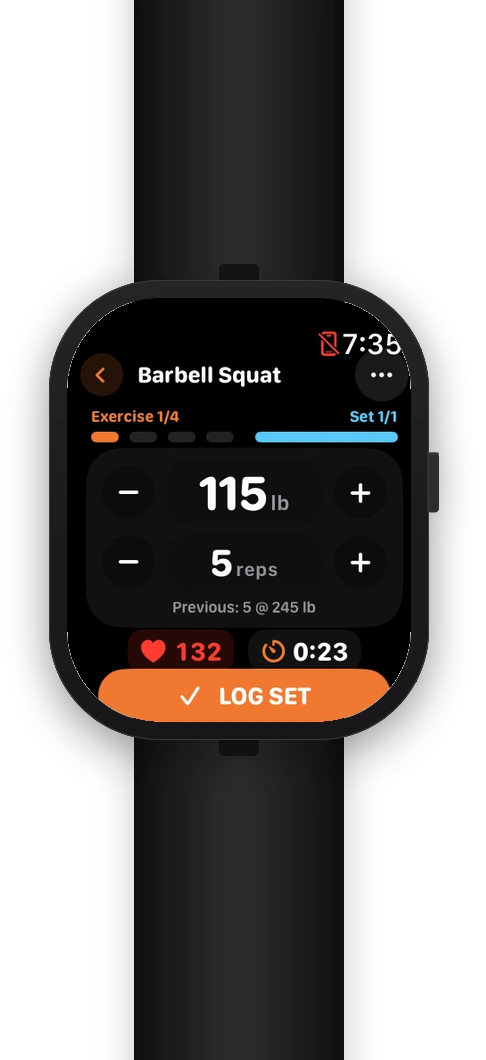
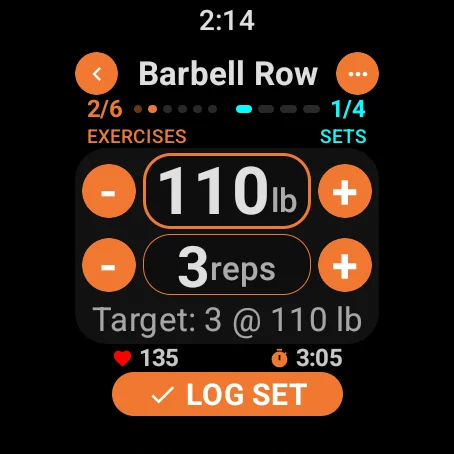
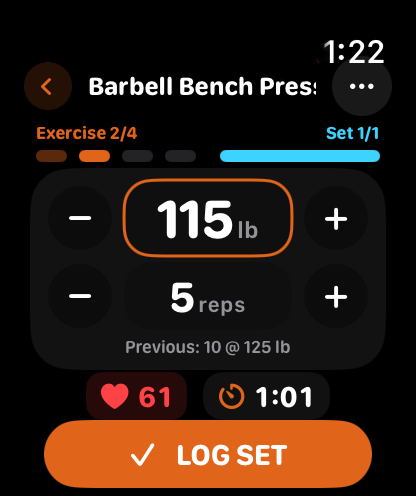
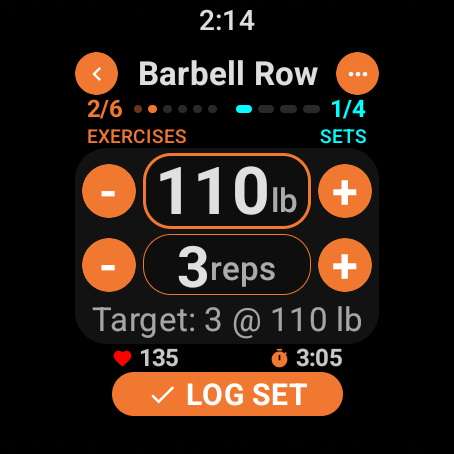
Log every set, adjust weight and reps, run rest timers, and check previous performance on Apple Watch or Wear OS. The phone starts the session; the watch keeps logging through a dropped connection. Plate math on the wrist is part of Pro.
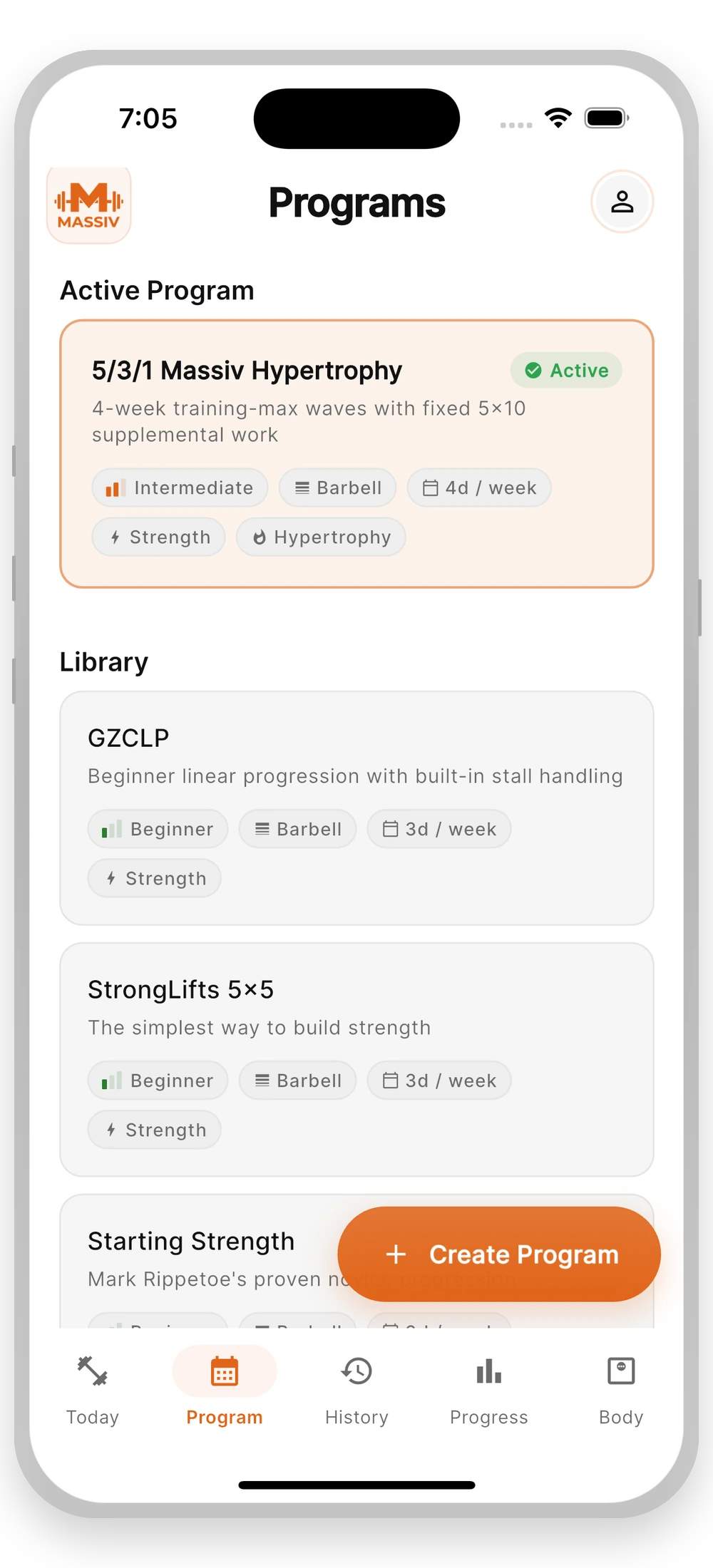
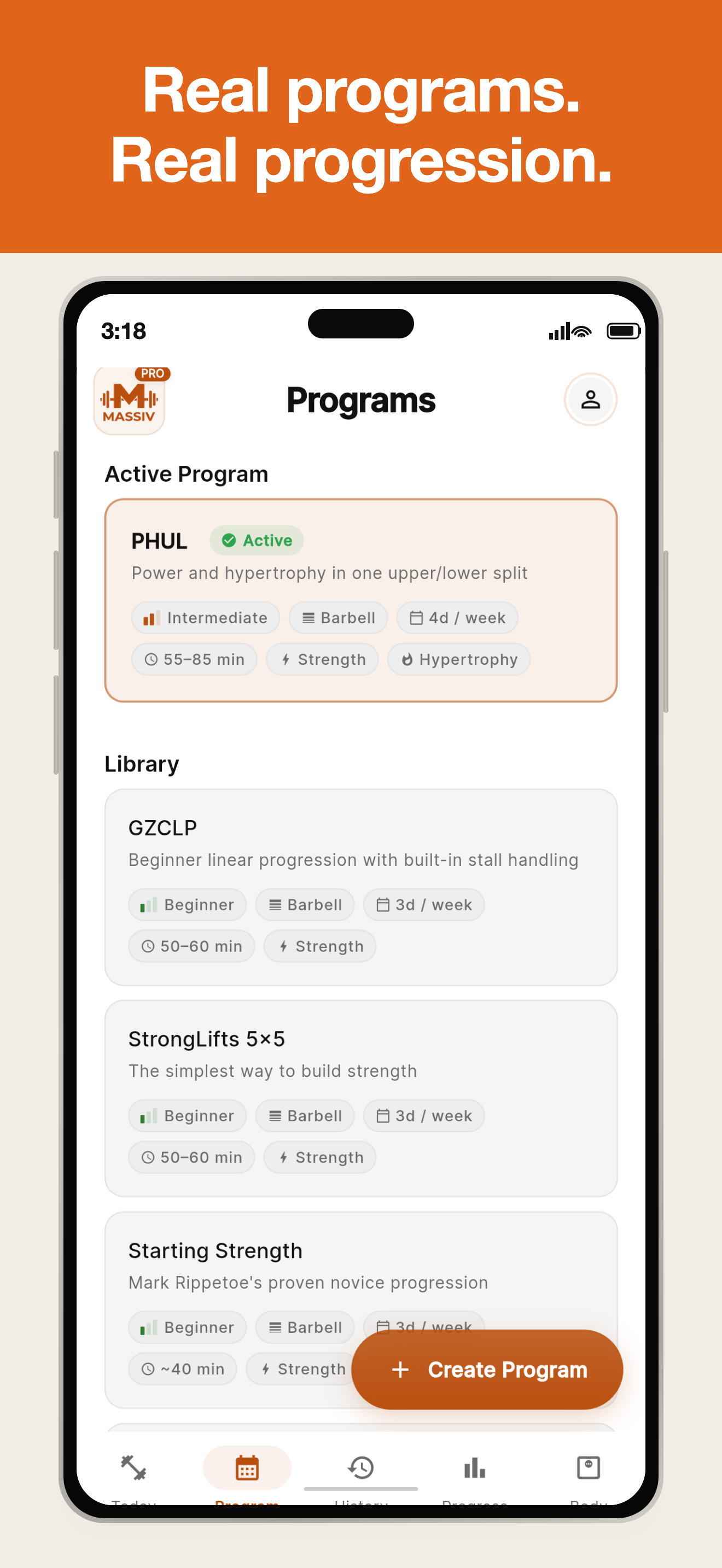
17 built-in programs span beginner linear progression, intermediate strength, powerbuilding, hypertrophy, dumbbell-only, and bodyweight training.
Massiv uses deterministic program rules, not an LLM, and explains why a training max changed or a deload was suggested.
English and Spanish throughout — app, watch apps, program and exercise names, and website. Not a partial menu translation.
Three approved descriptions of Massiv at different lengths, plus attributable statements. Use them verbatim without checking back with us. If you need a length that is not here, ask and we will write it.
Massiv is a local-first strength-training tracker with 17 structured lifting programs, transparent rule-based progression, and workout logging on iPhone, Android, Apple Watch, and Wear OS.
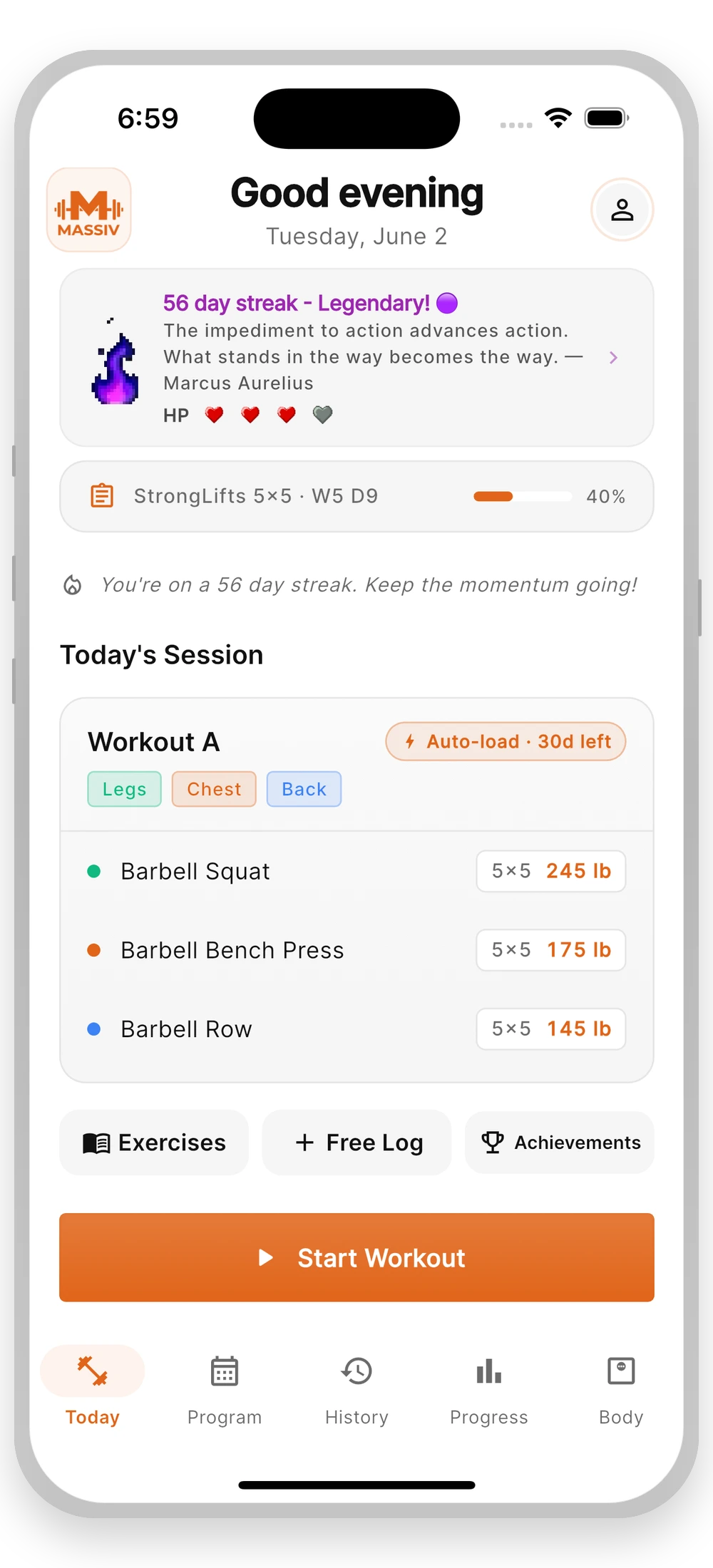
Massiv is a strength-training tracker for lifters who follow a plan. It ships 17 structured programs and applies deterministic progression rules the lifter can inspect and override. Workouts log on iPhone, Android, Apple Watch, and Wear OS. No account is required, and training data stays on the device by default.
Massiv is a strength-training tracker built for lifters who follow a plan rather than a generated workout. It ships 17 structured programs and 104 built-in exercises, with progression driven by deterministic, inspectable rules instead of a language model. When a training max moves or a deload is suggested, the app shows the rule behind it and leaves the decision with the lifter. Sessions log on iPhone, Android, Apple Watch, and Wear OS, with set logging and rest timers on the wrist. No account is required, data stays on device by default, and history exports to CSV or JSON.
Attributable statements
Most training apps either generate your workout for you or get out of the way entirely. Massiv sits in between: it runs a real program, and it shows its work.— Massiv (Aristocoded LLC)
A lifter racking a heavy set should not have to dig out a phone. The target, the last set, the rest timer, and the plate math all belong on the wrist.— Massiv (Aristocoded LLC)
We use deterministic rules rather than a language model because a lifter deserves to know exactly why their training max moved. The log is yours: no account, on-device by default, exportable any time.— Massiv (Aristocoded LLC)
A reviewer can evaluate Massiv without creating an account or manufacturing weeks of history. Start a built-in program, log a real session, inspect the progression decision, and export the result.
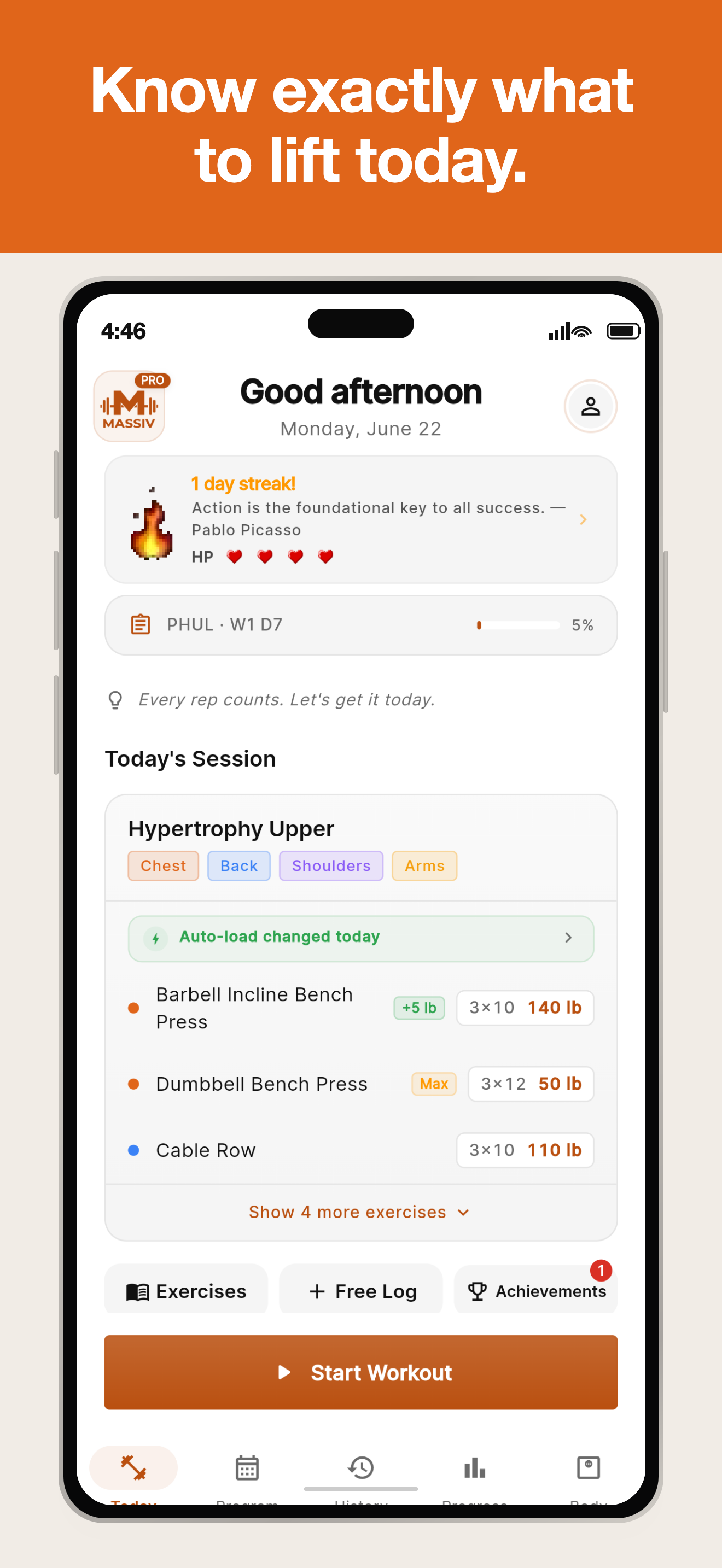
Browse all 17 programs, inspect the weekly schedule and progression method, then start with editable training maxes.
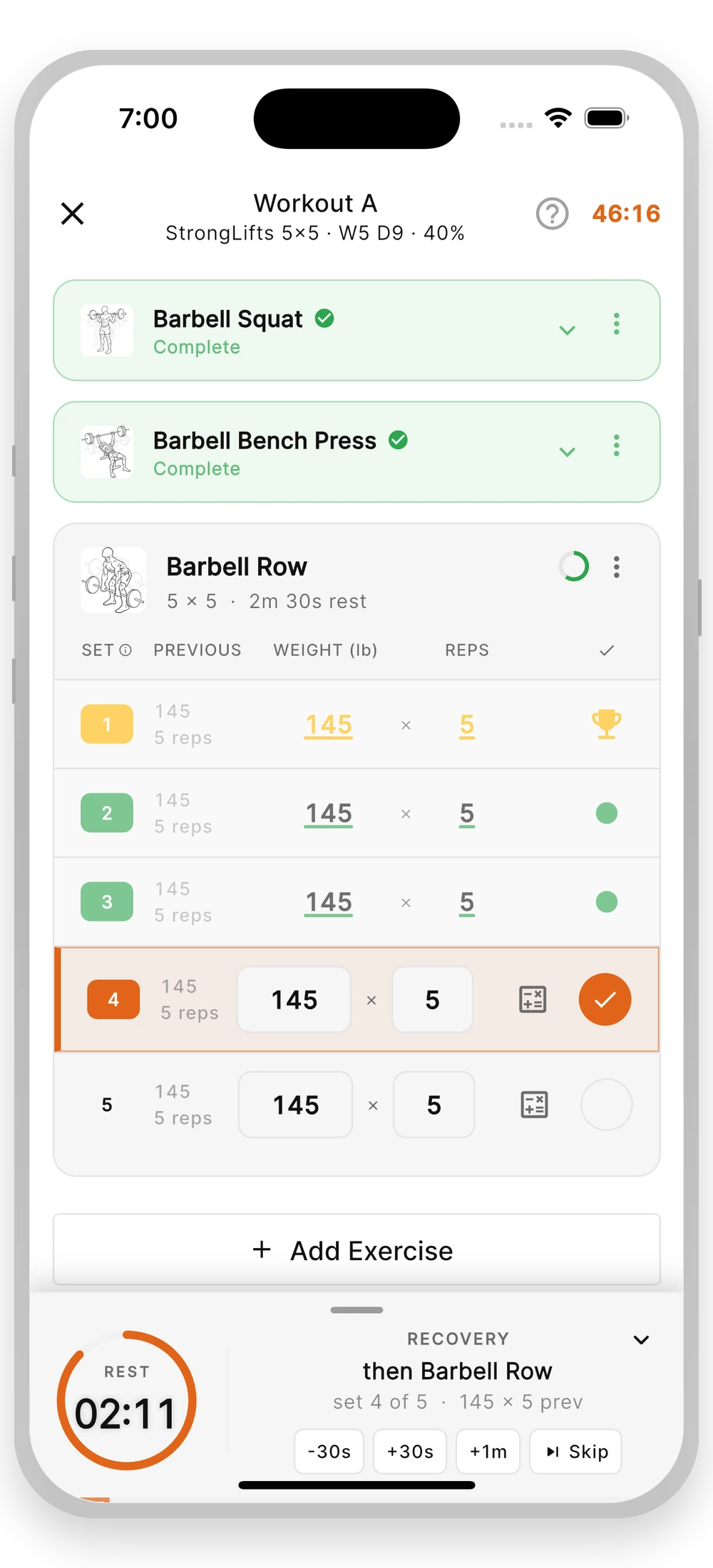
Confirm prior values in one tap, edit weight or reps, group supersets and drop sets, record RPE and notes, and use the automatic rest timer.
Continue the session the phone started on Apple Watch or Wear OS: set logging, previous-set context, and rest countdowns, plus plate calculations with Pro.
Complete a session and review the rule that raised a target, held a load, or suggested a deload. Every change remains under the lifter's control.
Import supported CSV exports, use the app offline, export training data as CSV or JSON, and inspect the optional cloud backup controls.
These details reflect Massiv version 1.0.5 as of October 10, 2026. Please contact us before publication if your coverage has a long lead time.
Massiv is newly released and we do not publish install or rating counts while the sample is small. We would rather give you numbers you can verify in the product than a vanity figure. Every count above is checkable inside the app.
These are the dimensions where Massiv makes a deliberate and checkable choice. Each answer below can be verified in one session, so you can hold competitors to the same questions rather than taking our word for the comparison.
We have deliberately not published a competitor comparison grid. We would rather you run these checks against Massiv and its alternatives yourself than reprint claims we made about someone else's product.
Every image below links to its full-resolution PNG original. Cropping and resizing are allowed; please do not alter the interface, recolor the logo, or imply an endorsement that has not been given. Complete per-device sets are in the downloads below.
Take the whole kit, a lighter version without video, or just the one file you need. Everything is publication resolution and free to use under the terms above.
Everything: 24 screenshots across four device classes, brand marks, fact sheet, and both demo videos.
Download full kit ↓Same screenshots, brand marks, and fact sheet without the video files. For slow connections and mail-size limits.
Download lite kit ↓Positioning, product facts, pricing, platforms, review angles, and press contact.
Download PDF ↓Screenshots by device
Brand marks
Video and text
Journalists, reviewers, and qualified creators can request complimentary Massiv Pro access. Tell us your publication or channel and preferred platform; we aim to reply within one business day.
Massiv does not currently operate a public affiliate program. Commercial inquiries are handled separately from editorial access.